Setting Up a Flight Plan
This page describes the basic steps for setting up a simple flight plan in the FYCYC-C919X aircraft.
Procedure
Below are the steps to set up a flight plan from scratch:
Step 1: Plan Preparation
- Before you start building the flight plan in the FYCYC-C919X, you need to know your origin, destination, which terminal procedures you will use, and which routes you will fly. We recommend using SimBrief to plan your trip first.
-
In this tutorial, we use a flight from KBOS (Boston) to KRDU (Raleigh–Durham) with AIRAC 2602.
-
Origin: KBOS RW22R
- Selected route: SSOXS7 SSOXS Q167 ZJAAY TAQLE3
- Destination: KRDU RW23L
Step 2: Aircraft Preparation
- Make sure the aircraft is powered. In this tutorial, the aircraft is powered by the APU.
- Set the left display of IDU5 to FMS.
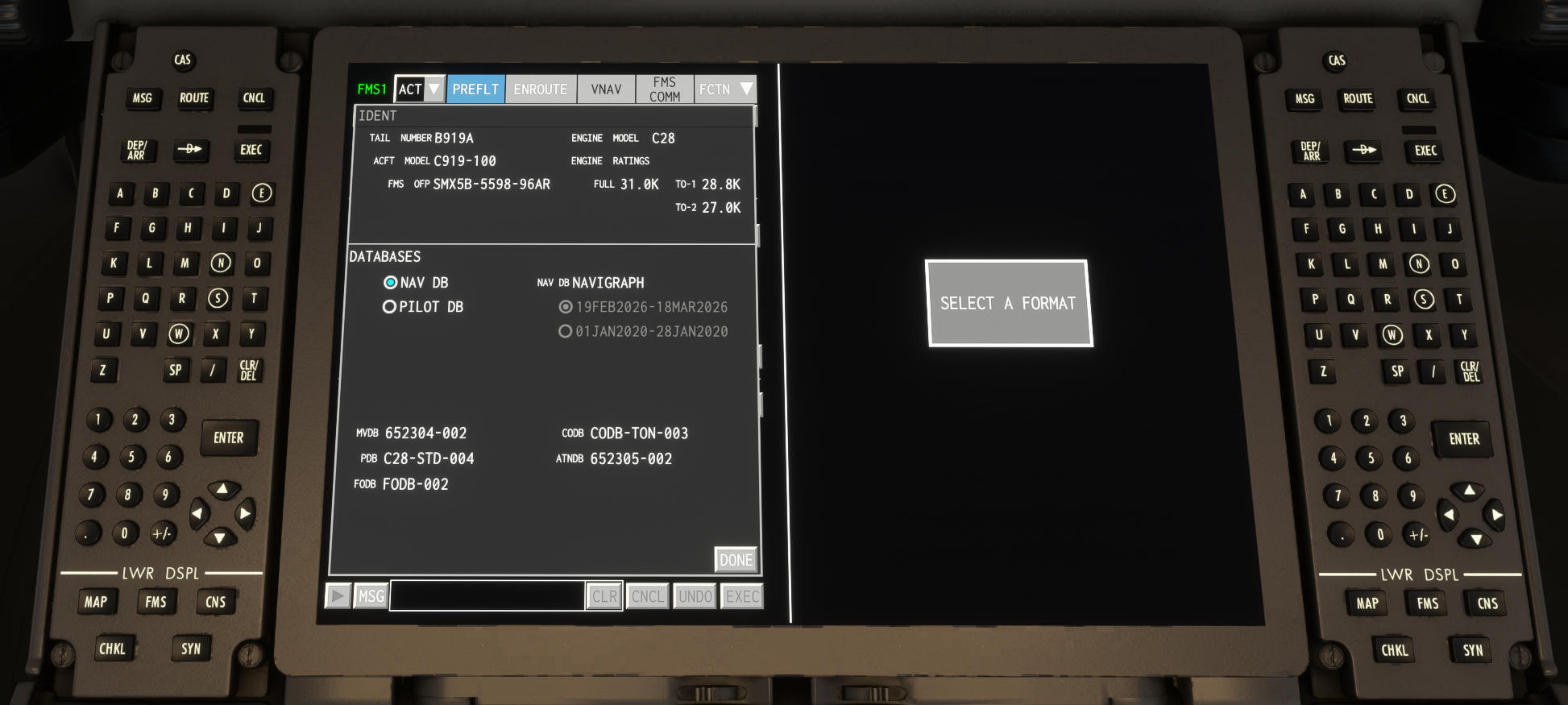
- The first time you open the FMS page, the Ident page is shown. Confirm the Navigation Database cycle information.
✈️ We use Navigraph as our main navigation database provider. You can update the database easily using Navigraph Hub. For more information, see Navigraph.
Step 3: Enter Departure Information
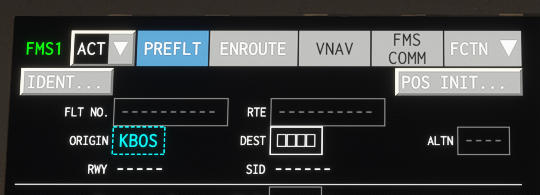
- Enter the origin by clicking the ORIGIN input box.
-
Then click the FCTN button in the top-right corner and select DEP.
-
Select the runway (22R) and the SID (SSOXS7) from the dropdown list.
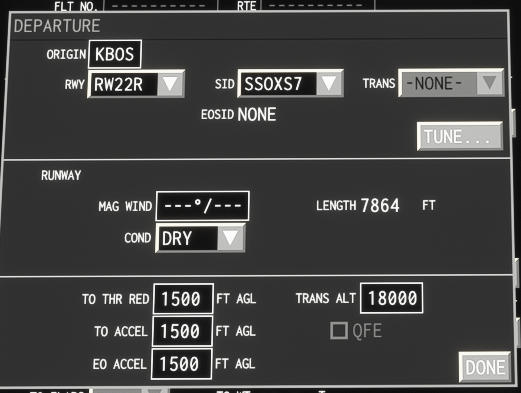
- Press the EXEC button to apply the flight plan change.
Step 4: Enter Arrival Information
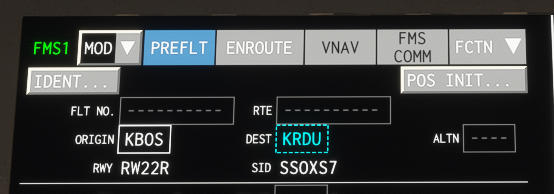
- Enter the destination by clicking the DEST input box.
-
Then click the FCTN button in the top-right corner and select ARR.
-
Select the runway (23L), STAR (TAQLE3), and approach (ILS 23L).
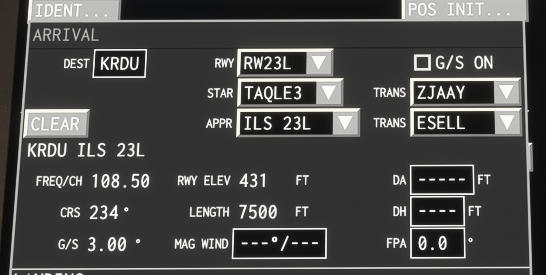
- Press the EXEC button to apply the flight plan change.
Step 5: Enter Route Information
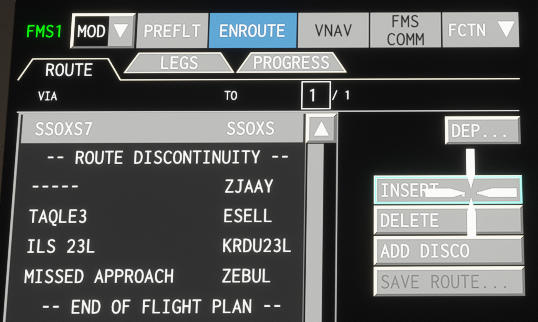
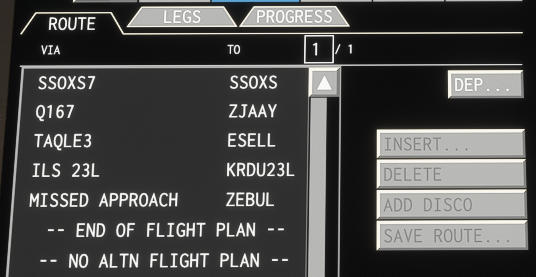
- Press the Enroute Route button to open the Route page. You will see the flight plan as entered so far.
-
Click the first item in the list, then click INSERT.
-
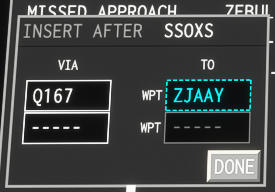
Enter Q167 in the Via field and ZJAAY in the To field.
-
A new entry appears: VIA Q167 TO ZJAAY.
-
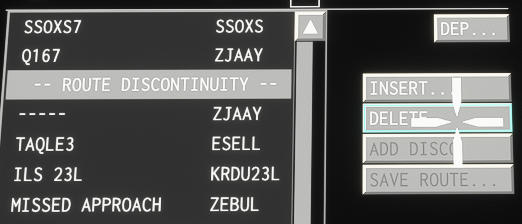
Select the route discontinuity and press Delete.
-
Press EXEC to execute the plan.
-
The flight plan is now complete.
Step 6: Confirm the Plan
The FYCYC-C919X lets you review each leg of the plan. To do this:
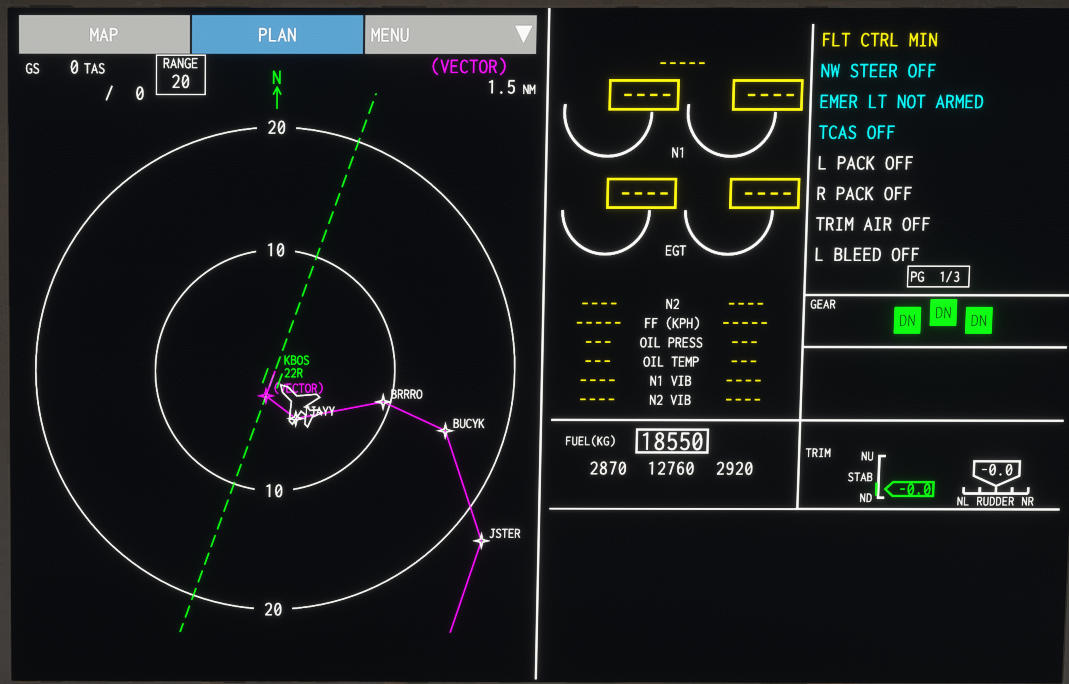
- Select PLAN mode on the MAP display.
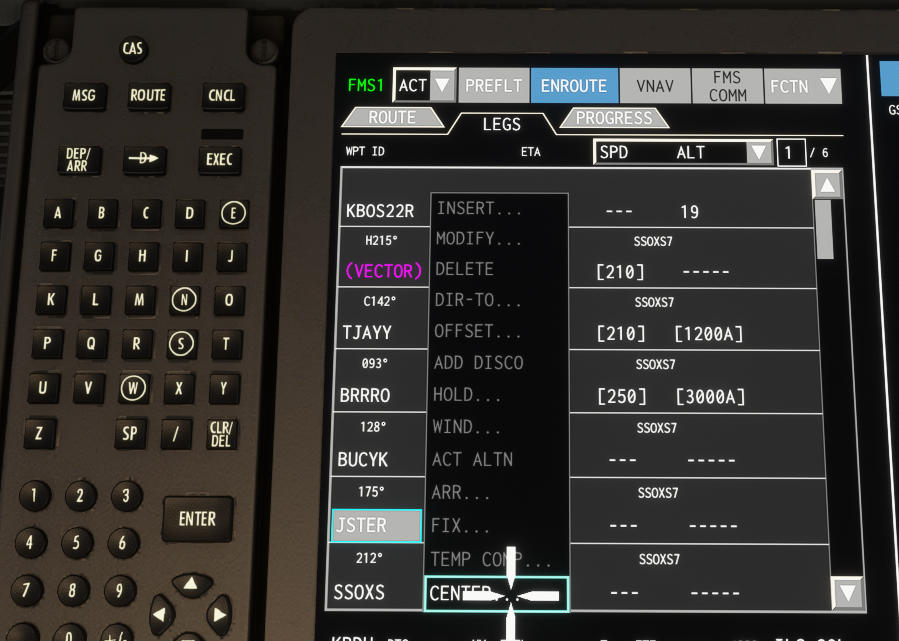
- Open the ENROUTE LEGS page, click a leg, then click CENTER.
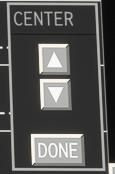
- The current leg is shown on the MAP. Use the buttons to move to the next or previous leg.
Your basic flight plan is now ready. You can start the engines and take off using the plan you have entered.
✈️ More advanced tutorials will be added in the future.